VAHAN 4.0 क्या है? (What is VAHAN 4.0?)
VAHAN 4.0 Ministry of Road Transport and Highways (MoRTH) द्वारा विकसित एक अत्यंत सुरक्षित और केंद्रीकृत (centralized) नेशनल डिजिटल रजिस्ट्री है। पहले भारत के हर राज्य के RTO का डेटाबेस अलग-अलग होता था, लेकिन Vahan 4.0 ने उन सभी को एक सिंगल नेशनल प्लेटफॉर्म पर सफलतापूर्वक जोड़ दिया है।
Why VAHAN 4.0 Matters:
- National Integration: Seamlessly connects data from all Regional Transport Offices (RTOs) across India into one single database.
- 100% Online Services: अब आप बिना RTO ऑफिस जाए वाहन की जानकारी, टैक्स भुगतान और परमिट जैसी सेवाएं ऑनलाइन प्राप्त कर सकते हैं।
- Data Security: Ensures that all citizen and vehicle credentials are encrypted and stored safely by the government.
By using this portal, millions of citizens can now access comprehensive vehicle details and apply for essential transport services directly from their smartphones, eliminating physical paperwork and long queues at local RTO offices.
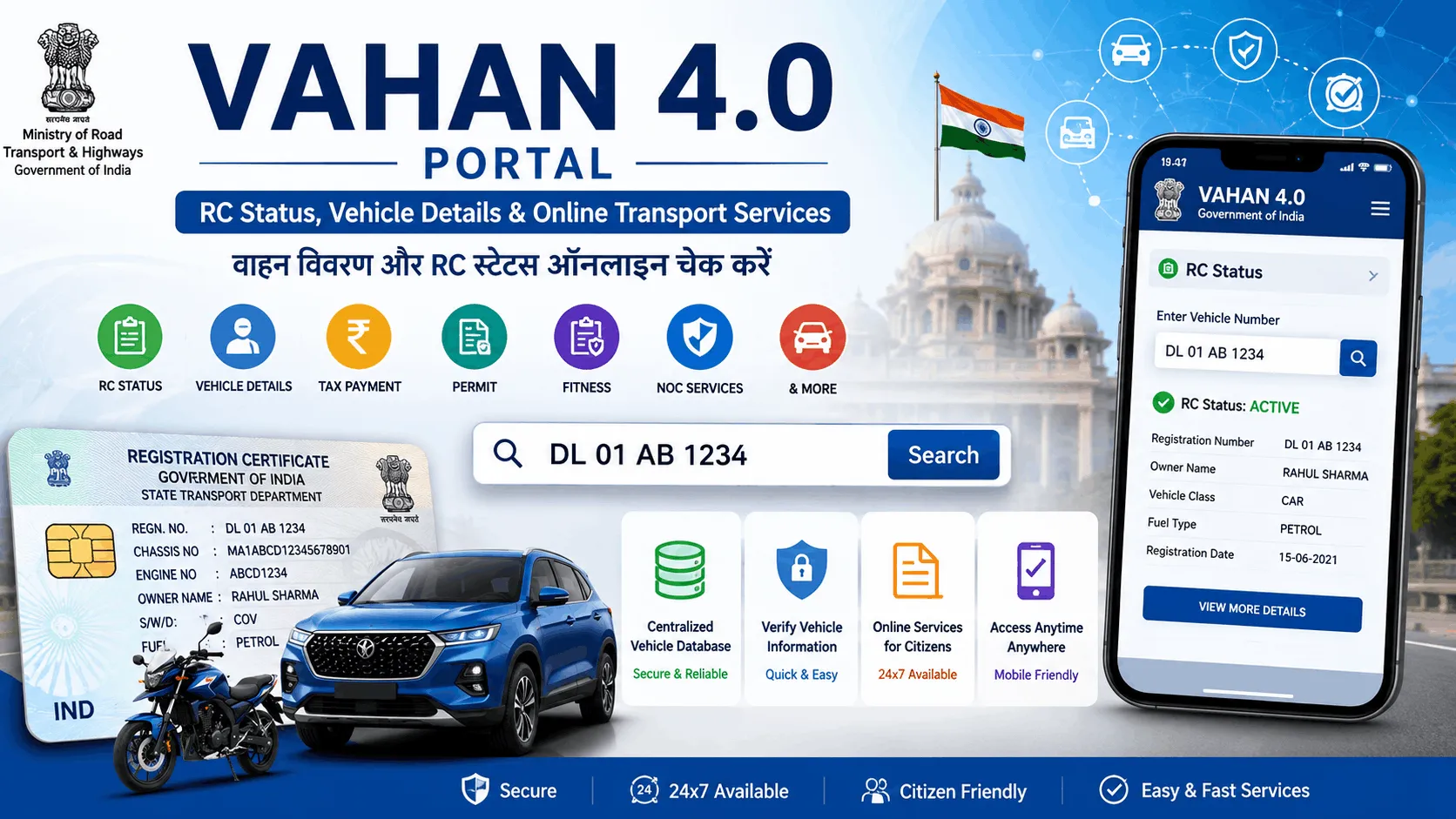
VAHAN 4.0 Services List (उपलब्ध सेवाएं)
RC Status Check
वाहन का रजिस्ट्रेशन स्टेटस, फिटनेस वैलिडिटी और इंश्योरेंस की स्थिति जांचें।
- Enter Vehicle Number
- View Registration Details
Vehicle Owner Details
गाड़ी किसके नाम पर है और वाहन का मालिक कौन है, इसकी जानकारी ऑनलाइन प्राप्त करें।
- Vehicle Number required
- Partial name visibility
Tax Payment
कमर्शियल वाहनों के लिए रोड टैक्स, ग्रीन टैक्स और अन्य परिवहन कर का ऑनलाइन भुगतान।
Pay Tax →Fitness Certificate
वाहन के फिटनेस नवीनीकरण (Renewal) के लिए आवेदन और फीस का भुगतान।
Apply Fitness →NOC Application
वाहन को दूसरे राज्य में ले जाने के लिए No Objection Certificate (NOC) हेतु आवेदन।
Get NOC →Duplicate RC
RC खो जाने या खराब हो जाने पर डुप्लीकेट आरसी के लिए ऑनलाइन आवेदन (Form 26)।
Apply Duplicate RC →Hypothecation Removal
वाहन लोन पूरा होने के बाद RC से बैंक का नाम (HPA) हटाने की प्रक्रिया।
Remove HPA →How to Check RC Status in VAHAN 4.0
Checking your vehicle's registration details (RC Status) is the most frequently used service on the Vahan portal. Follow these simple steps to verify your vehicle credentials online:
वाहन का पंजीकरण विवरण (RC Status) चेक करना Vahan portal की सबसे अधिक उपयोग की जाने वाली सेवा है। इसके लिए नीचे दिए गए स्टेप्स फॉलो करें:
- आधिकारिक Vahan Parivahan Portal पर जाएं या Online RC Check टूल का उपयोग करें।
- Vehicle Registration Number (वाहन नंबर जैसे DL01AA1234) दर्ज करें।
- सुरक्षा के लिए Captcha कोड भरें।
- पोर्टल पर रजिस्टर किए गए मोबाइल नंबर पर OTP verification पूरा करें।
- स्क्रीन पर वाहन का Result दिखाई देगा जिसमें रजिस्ट्रेशन डेट, फिटनेस, इंश्योरेंस और टैक्स की जानकारी होगी।
VAHAN Vehicle Owner Details Online
Whether you are purchasing a used vehicle or need to verify ownership after an incident, obtaining accurate vehicle owner information is crucial. The VAHAN 4.0 portal makes this data readily accessible on both mobile and desktop devices.
पुरानी गाड़ी खरीदते समय या किसी दुर्घटना के मामले में vehicle owner information जानना बहुत जरूरी होता है। Vahan 4.0 पोर्टल के माध्यम से यह जानकारी मोबाइल पर प्राप्त की जा सकती है。
- Visible Details: वाहन की श्रेणी (Class), ईंधन का प्रकार (Fuel), पंजीकरण तिथि, और मालिक का नाम (Partial Name)।
- Mobile Access: यह सेवा स्मार्टफोन पर ब्राउज़र या mParivahan ऐप के जरिए एक्सेस की जा सकती है।
State Wise VAHAN 4.0 Services
Because VAHAN 4.0 acts as a national registry, every individual state's RTO database is directly linked to this central portal. You can easily select your specific state to access localized transport services.
चूंकि VAHAN 4.0 एक राष्ट्रीय रजिस्टर है, इसलिए हर राज्य का अपना RTO डेटा इस पोर्टल से जुड़ा हुआ है। आप अपने राज्य के अनुसार सेवाएं चुन सकते हैं:
VAHAN 4.0 और mParivahan में क्या अंतर है?
| Features | VAHAN 4.0 Portal | mParivahan App |
|---|---|---|
| Platform Type | Web Portal (Desktop & Mobile Browser) | Mobile Application (Android / iOS) |
| Main Purpose | Transactional RTO services (Transfer, NOC, Tax) | Quick search and storing virtual RC & DL |
| RC Access | Can download RC extract, Apply for duplicate | Create virtual RC QR code for police checks |
| DL Access | No DL services (Uses Sarathi instead) | Stores virtual DL |
| Challan Services | Linked to eChallan portal | Directly check challan status in the app |
Important VAHAN 4.0 Guides & Direct Links
Know Your Application Status
Know Your Application Status. Application No. Vehicle ... Check the exact status of your pending RC or Transfer applications online instantly.
Vahan Citizen Services
Apply Applications for : Transfer of OwnerShip, Change of Address, Hypothecation Addition, Duplicate RC, and NOC directly through the official portal.
Update Your Mobile Number
Driving license holders and registered Vehicle owners are required to link their active mobile numbers to receive OTPs and SMS alerts from RTO.
VAHAN 4.0 (Citizen Services) - Parivahan
सड़क परिवहन और राज मार्ग मंत्रालय. Ministry of Road Transport and Highways official web gateway for all digital vehicle registry services.
VAHAN 4.0 Common Issues & Solutions
❌ Website Not Opening / Server Down
Solution: अक्सर भारी ट्रैफिक के कारण वेबसाइट स्लो होती है। सुबह जल्दी या देर रात प्रयास करें।
❌ RC Not Found / Invalid Vehicle Number
Solution: जांच लें कि गाड़ी नंबर में स्पेस (Space) न हो। यदि गाड़ी बहुत पुरानी है, तो हो सकता है उसका डेटा डिजिटल न हो।
❌ Payment Failed but Amount Deducted
Solution: दोबारा टैक्स पेमेंट न करें। "Check Transaction Status" में जाएं। बैंक को पोर्टल से जुड़ने में 48 घंटे लग सकते हैं।
❌ OTP Issue
Solution: यदि आधार लिंक मोबाइल पर OTP नहीं आ रहा है, तो नेटवर्क चेक करें या "Update Mobile Number" सुविधा का उपयोग करें।
VAHAN 4.0 Step-by-Step Guides
Download RC (आरसी डाउनलोड कैसे करें)
- Login to VAHAN Citizen Services.
- Select "Download Document" > "RC Print".
- Enter Registration Number and full Chassis Number.
- Verify OTP sent to your registered mobile.
- Download the digital smart card RC (PDF).
Pay Tax (रोड टैक्स कैसे भरें)
- Visit portal and click "Pay Your Tax".
- Enter vehicle credentials and verify details.
- Select tax mode (Quarterly/Yearly/Lifetime).
- Proceed to the e-GRAS payment gateway.
- Print the successful Tax Receipt.
Transfer Ownership (वाहन ट्रांसफर)
- Select "Transfer of Ownership" service.
- Fill Form 29 and Form 30 online.
- Perform Aadhaar Authentication for Buyer & Seller.
- Pay transfer fees and upload documents.
- Application goes to RTO for approval.
VAHAN 4.0 - Training for RTO Officials and Dealers
वाहन 4.0 पोर्टल की कार्यप्रणाली (workflow) को और गहराई से समझने के लिए RTO अधिकारियों और डीलरों के लिए बनाई गई यह ट्रेनिंग वीडियो देखें:
VAHAN 4.0 FAQs
क्या VAHAN 4.0 से वाहन मालिक का नाम पता चल सकता है? +
हां, VAHAN 4.0 पोर्टल या mParivahan ऐप के जरिए आप किसी भी वाहन का रजिस्ट्रेशन नंबर (RC Number) डालकर वाहन मालिक का आंशिक नाम और अन्य रजिस्ट्रेशन डिटेल्स ऑनलाइन चेक कर सकते हैं।
क्या VAHAN 4.0 सभी राज्यों में उपलब्ध है? +
हां, VAHAN 4.0 पूरे भारत के लगभग सभी राज्यों और केंद्र शासित प्रदेशों (1,300+ RTOs) में लागू किया गया है। यह एक केंद्रीकृत (centralized) राष्ट्रीय डेटाबेस है।
VAHAN 4.0 में RC डाउनलोड कैसे करें? +
VAHAN 4.0 पोर्टल पर जाएं, "Online Services" से "Vehicle Related Services" चुनें, राज्य/RTO दर्ज करें, और "Download Document (RC Print)" विकल्प पर क्लिक करें। आपको रजिस्ट्रेशन और चेसिस नंबर की आवश्यकता होगी।
Vahan 4.0 पोर्टल का उपयोग करने के लिए क्या लॉगिन आईडी आवश्यक है? +
कुछ सामान्य जानकारी जैसे वाहन विवरण चेक करने के लिए लॉगिन की आवश्यकता नहीं है, लेकिन RC ट्रांसफर, डुप्लीकेट RC या NOC जैसी सेवाओं (Services) के लिए आपको मोबाइल नंबर या आधार के माध्यम से पोर्टल पर रजिस्टर/लॉगिन करना होगा।
क्या मैं Vahan 4.0 पर ऑनलाइन चालान का भुगतान कर सकता हूँ? +
चालान भुगतान सीधे Vahan 4.0 पर नहीं होता। इसके लिए आपको इसी इकोसिस्टम के "eChallan Parivahan" पोर्टल (echallan.parivahan.gov.in) पर जाना होगा।
गाड़ी का फिटनेस सर्टिफिकेट ऑनलाइन कैसे चेक करें? +
VAHAN 4.0 पर "Know Your Vehicle Details" सेक्शन में वाहन नंबर डालकर आप वाहन की फिटनेस वैलिडिटी (Fitness Validity) की जांच कर सकते हैं।
Vahan 4.0 पर ऑनलाइन रोड टैक्स का भुगतान कैसे करें? +
पोर्टल पर "Pay Your Tax" सेवा का चयन करें, अपना रजिस्ट्रेशन नंबर और चेसिस नंबर दर्ज करें, देय टैक्स (Tax due) की गणना करें और ऑनलाइन पेमेंट गेटवे के माध्यम से भुगतान करें।
Vahan और mParivahan में क्या अंतर है? +
Vahan 4.0 एक वेबसाइट पोर्टल है जो मुख्य रूप से सभी RTO सेवाओं और टैक्स भुगतान के लिए है। mParivahan एक मोबाइल ऐप है जो डिजिटल RC/DL स्टोर करने और त्वरित स्टेटस चेक करने के लिए है।
मेरी RC Vahan 4.0 पोर्टल पर क्यों नहीं दिख रही है? +
यह तब हो सकता है जब आपका वाहन बहुत पुराना हो और उसका डेटा RTO द्वारा डिजिटल न किया गया हो (Backlog entry pending), या आपने गलत रजिस्ट्रेशन नंबर दर्ज किया हो।
वाहन का NOC ऑनलाइन कैसे अप्लाई करें? +
Vahan 4.0 सिटिज़न पोर्टल पर जाएं, "Application for NOC" चुनें, वाहन का विवरण दें, राज्य/RTO चुनें जहां आप वाहन ले जाना चाहते हैं, और फॉर्म सबमिट करें।
Vahan 4.0 पर वाहन ट्रांसफर (Ownership Transfer) की प्रक्रिया क्या है? +
आपको "Transfer of Ownership" सर्विस का चयन करना होगा, क्रेता (Buyer) और विक्रेता (Seller) दोनों के आधार OTP के जरिए KYC पूरी करनी होगी और निर्धारित फीस भरनी होगी।
HPA (Hypothecation) ऑनलाइन कैसे रिमूव (Remove) करें? +
बैंक से लोन चुकता होने के बाद NOC (Form 35) प्राप्त करें। Vahan 4.0 पोर्टल पर "Hypothecation Termination" सर्विस चुनें और बैंक NOC अपलोड करें।
अगर ऑनलाइन टैक्स पेमेंट फेल हो जाए तो क्या करें? +
अगर पैसे कट गए हैं लेकिन रसीद नहीं मिली, तो तुरंत दोबारा पेमेंट न करें। पोर्टल पर "Check Pending Transaction" विकल्प का उपयोग करें, यह आमतौर पर 24-48 घंटों में बैंक रिकॉन्सिलिएशन (reconciliation) से अपडेट हो जाता है।
Vahan 4.0 पर मोबाइल नंबर कैसे अपडेट करें? +
पोर्टल के मेन मेनू में "Update Mobile Number" पर क्लिक करें। अपने आधार कार्ड (Aadhaar Card) के जरिए e-KYC पूरी करें और नया नंबर तुरंत अपडेट हो जाएगा।
ब्लैकलिस्टेड वाहन (Blacklisted Vehicle) का क्या मतलब होता है? +
यदि किसी वाहन के खिलाफ कोई लंबित चालान, टैक्स बकाया, या पुलिस केस (FIR) है, तो RTO उस वाहन को ब्लैकलिस्ट कर देता है। ब्लैकलिस्ट होने पर आप Vahan पोर्टल पर RC ट्रांसफर या फिटनेस जैसी सेवाओं का उपयोग नहीं कर सकते।
Ready to Check Vehicle Details?
VAHAN 4.0 सेवाओं का उपयोग करके RC स्टेटस, वाहन विवरण और अन्य परिवहन सेवाएं ऑनलाइन आसानी से चेक करें।
Check RC Status Now →