eChallan Quick Search
Under Section 133 of the MV Act and CMVR Rule 167, electronic enforcement devices (cameras) are legally authorized to issue compounding fines. Click the button below to check your pending traffic fines on the official Parivahan portal.
Need a complete overview of the fines system? Visit the Parivahan Bharat eChallan home.
Three Ways to Check Status
1. By Vehicle Registration Number
Enter your RC number along with the last 5 digits of your chassis or engine number to verify vehicle owner details and view all fines linked to the registration. This is crucial before selling a vehicle.
2. By Unique Challan Number
If you have the physical or SMS copy of the traffic violation, enter the unique 15-digit ID for a direct report. Settle these compounding fines early to avoid legal complications or getting your vehicle blacklisted by the RTO.
3. By Driving Licence Number
Check violations specifically linked to your personal Driving Licence. Accumulating excessive compounding offences can lead to license suspension and block your licence renewal online.
Why Check Fines Regularly?
- ✓ Avoid Blacklisting: Unpaid fines result in Vahan database blockages, preventing RC transfers or fitness certificate updates.
- ✓ Virtual Court Prevention: Clearing compounding fines within 60 days prevents cases from escalating to Virtual Court summons.
- ✓ Hassle-Free Renewals: Clean records are verified automatically before a DL renewal guide application is approved.
- ✓ Police Verification: Unsettled violations can trigger alerts during police background checks for employment or passports.
- ✓ Avoid Auto-Camera Fines: Automatic ANPR speed & RTO cameras issue instant fines of ₹5,000 if they detect your vehicle has no mandatory HSRP number plate.
eChallan Grievances & Virtual Court Board
Real-world solutions to incorrect challan photography, missing SMS alerts, and Virtual Court summons. If you have active legal disputes or need administrative support to clear an RTO lock, contact our RTO helpdesk directly.
1. Challan Marked "Sent to Court" — How to Pay Online ▼
The Frustration: Your online challan status lists "Sent to Court". The eChallan portal blocks your online payment button, and you fear a physical court summons.
The Technical Fix: Once a compounding limit (60 days) expires, RTOs forward the case to a Virtual Court. Settle it online: 1) Go to the official Virtual Court portal at vcourts.gov.in. 2) Select your state and search using your Vehicle No or Challan No. 3) The system will display the court summons. Click 'Pay Proposed Fine', complete the online settlement, and the case will show 'Disposed' instantly. Your Vahan database lock will be released automatically.
2. Wrong eChallan Issued due to modified Plate or Camera Bug ▼
The Frustration: You received a speeding or red-light fine, but the attached camera evidence photo shows a completely different vehicle (different model or fake plates) matching your number.
The Technical Fix: Do NOT pay the fine, as it is an admission of guilt. File an official Grievance: 1) Visit the echallan.parivahan.gov.in portal. 2) Click on 'Complaint / Grievance'. 3) Enter Challan Details, write a clear description noting the difference in vehicle models, and upload high-resolution photos of your original vehicle and smart card RC. The transport compliance analyst will review the camera log and cancel the incorrect violation in the National Register within 7-10 working days.
3. No SMS Received but Fines Discovered During RC/DL Renewal ▼
The Frustration: You are trying to renew your registration certificate or transfer ownership, and Vahan blocks the transaction due to old unpaid fines you were never alerted about via SMS.
The Technical Fix: This happens if your registered phone number is outdated in Vahan. 1) Settle the outstanding fines immediately. 2) Visit the Vahan Citizen Services page. 3) Select 'Update Mobile Number', verify via Aadhaar OTP, and input your current active number. This guarantees you will receive real-time automated SMS notifications for future violations.
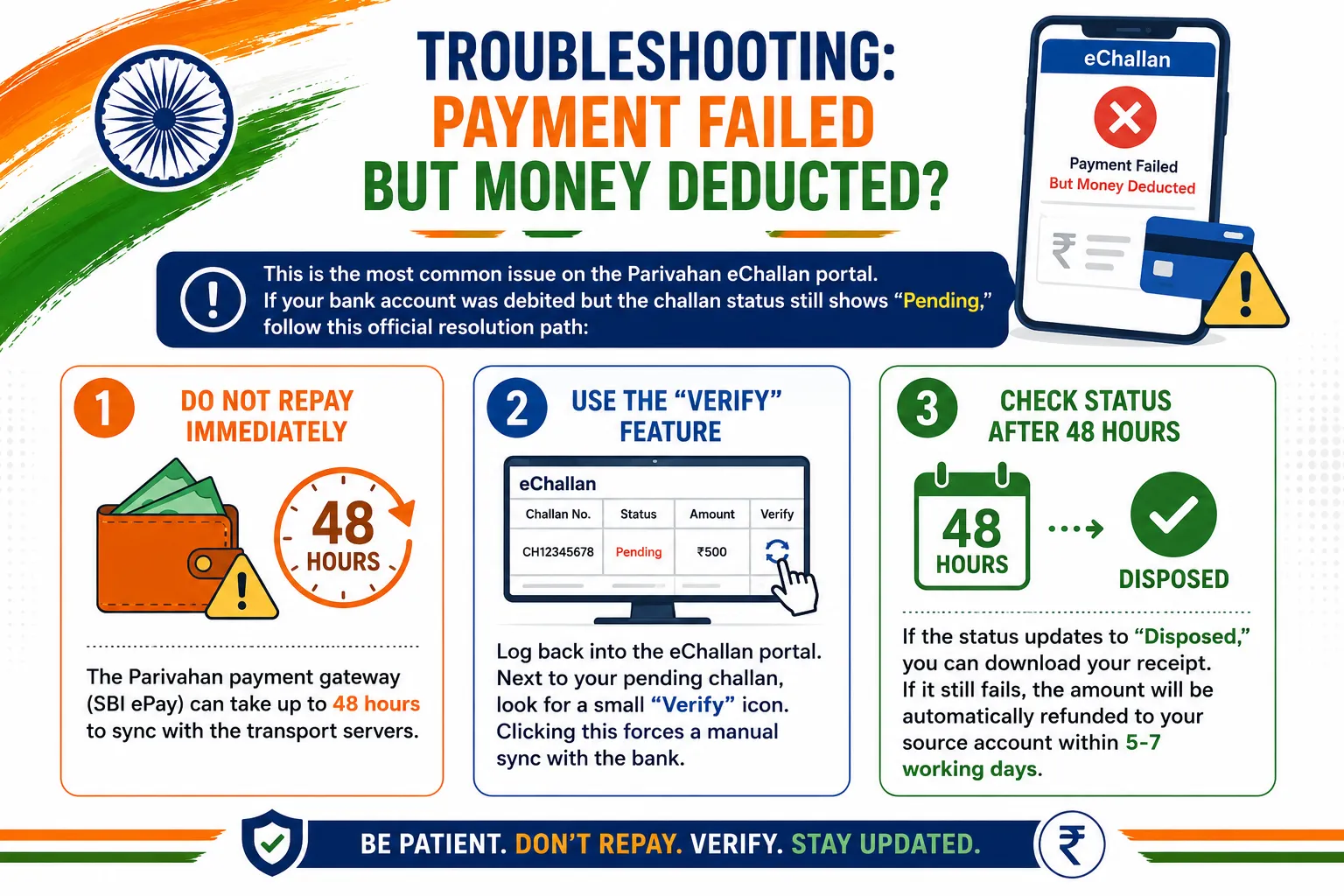
Troubleshooting: Payment Failed but Money Deducted?
This is the most common issue on the Parivahan eChallan portal. If your bank account was debited but the challan status still shows "Pending," follow this official resolution path:
- Do Not Repay Immediately: The Parivahan payment gateway (SBI ePay) can take up to 48 hours to sync with the transport servers.
- Use the "Verify" Feature: Log back into the eChallan portal. Next to your pending challan, look for a small "Verify" icon. Clicking this forces a manual sync with the bank.
- Check Status After 48 Hours: If the status updates to "Disposed," you can download your receipt. If it still fails, the amount will be automatically refunded to your source account within 5-7 working days.
State-Specific Traffic Police Portals
While Parivahan is the central database, some metropolitan traffic police departments issue local fines that may take days to sync centrally. If you received a local SMS but can't find it on Parivahan, check these state portals:
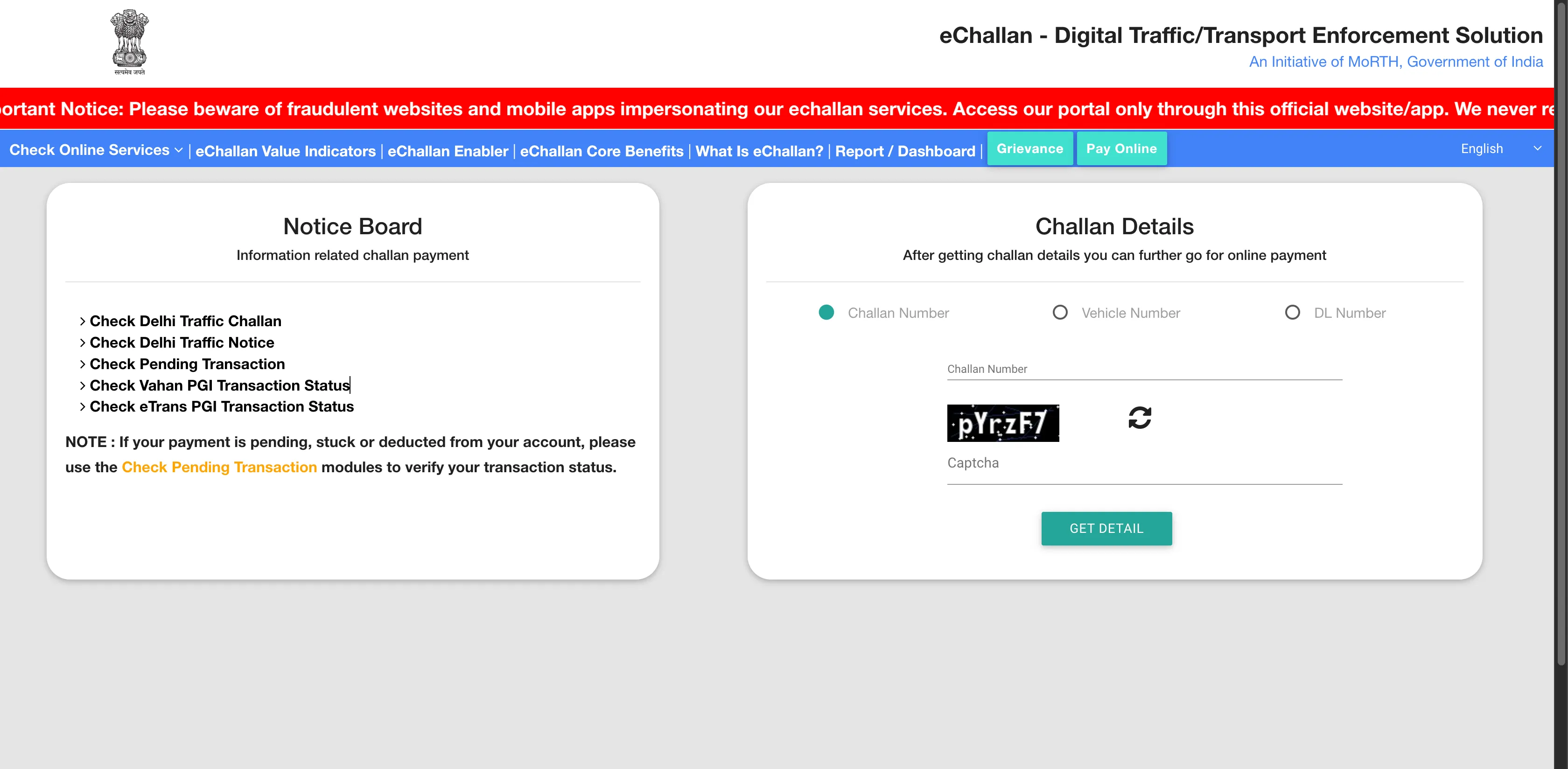
Visual Walkthrough: How to Pay eChallan Online
A visual guide to checking and paying your compounding fee safely.
Challan Status FAQs
How can I check my traffic challan status online? ▼
You can check your status on the official eChallan Parivahan portal by entering your vehicle registration number, driving licence number, or the specific 15-digit challan number.
Can I check challan status without the challan number? ▼
Yes, you can use your vehicle registration number (along with the last 5 digits of your Chassis or Engine number) or your DL number to fetch all pending challans linked to you.
What is the time limit to pay an eChallan? ▼
Typically, you must pay an eChallan within 60 days of its issue. Failure to do so may result in the case being forwarded to a Virtual Court for legal compounding.
Will I get an SMS for every eChallan issued? ▼
Yes, the system sends an SMS to the mobile number registered with your vehicle’s RC or DL. However, it is highly recommended to check online periodically as network delays may occur.
What happens if a challan is sent to court? ▼
Once forwarded to a Virtual Court, you can no longer pay the fine on the standard eChallan portal. You must visit the official vcourts.gov.in portal to settle the compounding fee or contest the summons.
Are virtual documents on DigiLocker valid if I have a pending challan? ▼
Yes. Under Rule 139 of the Central Motor Vehicles Rules (CMVR), your virtual RC and DL on DigiLocker remain legally valid for spot checks even if there is a pending challan, though you must settle the fine online within 60 days to prevent RTO registry blacklisting.